Feature Suite

Everything You Need to Manage EMS Inventory

Red Pulse Systems™ gives ambulance agencies and fire departments EMS-specific tools for tracking stock, restocking units, managing expirations, documenting usage, and ordering supplies—organized around how emergency services actually operate.

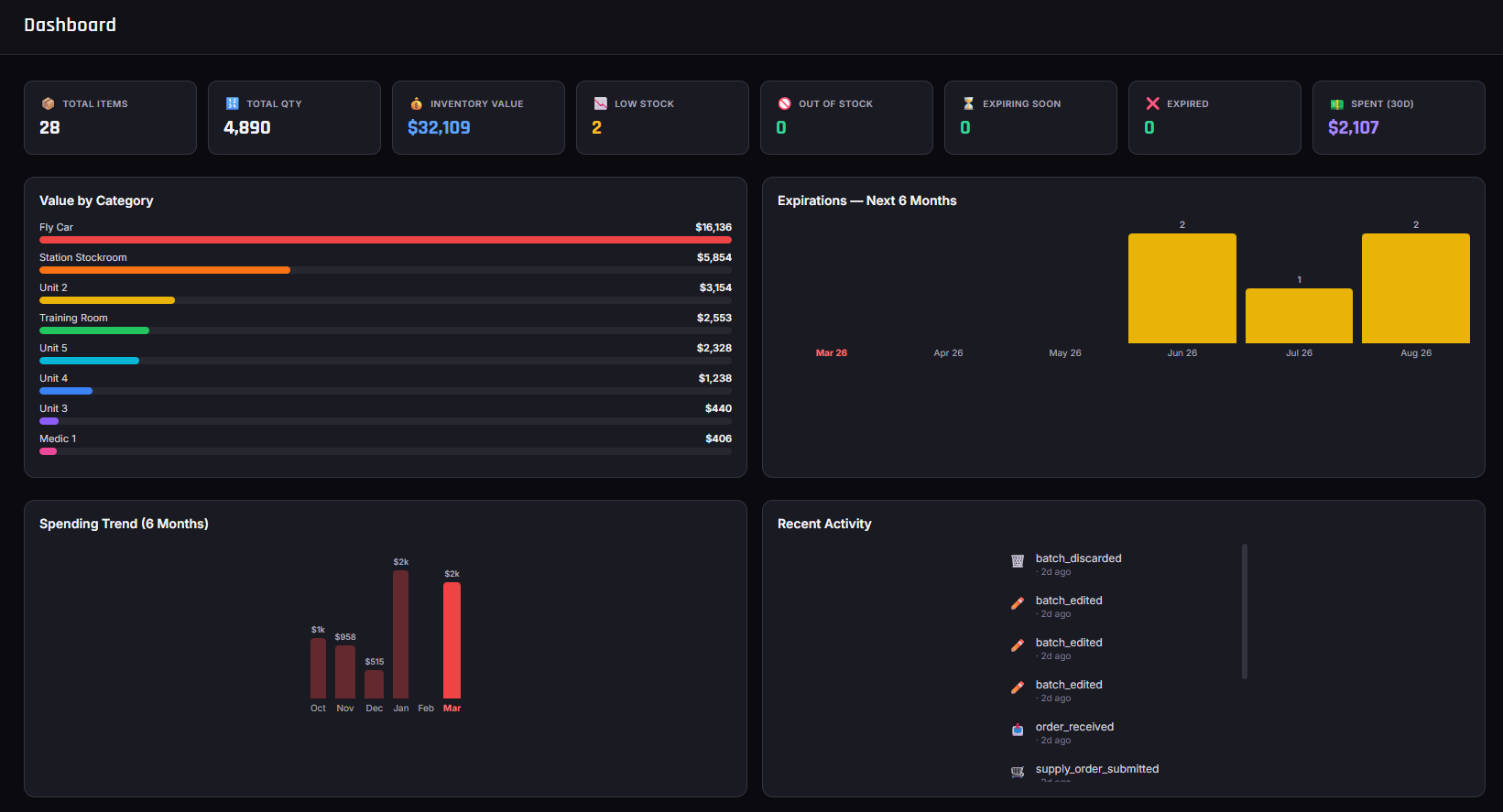
Red Pulse Systems dashboard showing EMS inventory management features across locations

Inventory Visibility

Know what you have, where it is, and when it changed—across the whole agency.

EMS inventory does not live in one storeroom. It moves between ambulances, jump bags, cabinets, stations, and central supply. Red Pulse keeps a live picture of stock so equipment directors and supervisors are not reconstructing counts from memory or stale spreadsheets.

Real-time inventory

Quantities update as crews use, receive, transfer, and restock items—so the system reflects what is actually on hand.

Multi-location tracking

Track inventory by ambulance, station, cabinet, and supply room with clear location context on every transaction.

Batch management

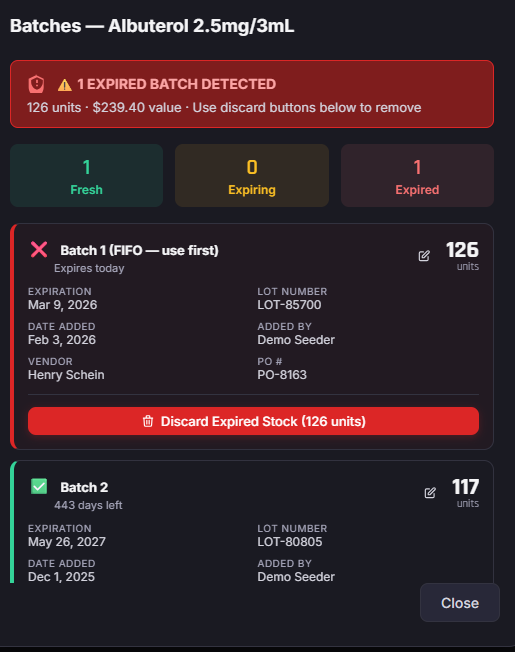
Record lot numbers, receive dates, and expiration dates at the batch level so rotation and recalls stay practical.

Stock levels & categories

Organize items by category and monitor levels with thresholds that help flag shortages before a call exposes them.

Batch and expiration tracking in Red Pulse Systems

Restocking and Supply Requests

Move stock with approvals, pull sheets, kits, and source routing—not hallway conversations.

Pain: Restocks stall waiting for verbal approvals

Supply Requests

Crews submit what they need from the field or station. Requests create a clear record of who asked for what and when—so restocks are documented instead of informal.

Pain: Directors cannot see pending needs

Approvals

Equipment directors and supervisors review and approve Supply Requests before inventory moves, keeping oversight without slowing every pull to a phone call.

Pain: Pull lists live on scrap paper

Pull sheets

Generate pull sheets for trucks, bags, or restock runs. Track who pulled items, when, and from which source location so accountability follows the work.

Pain: Rebuilding the same list every shift

Supply Kits

Group common restock sets—jump bag standards, ambulance minimums, or station kits—so crews request complete bundles without rebuilding line items from scratch.

Pain: Wrong cabinet, wrong truck, wasted trips

Item-by-item source routing

Automatic source assignment routes each line to the right restock location so pulls match how your station and supply rooms are organized.

Pain: Transfers happen off-system

Guided restock workflows

Authorized staff open pending requests and work through guided pulls so inventory adjustments land in the correct places with a usable history.
Expiration and Waste

Rotate stock before it expires—and document waste when it does.

Expiration views

See what is expiring soon across locations so crews can rotate batches on rigs and shelves instead of discovering outdated product during a call.

Waste documentation

Record expired, damaged, contaminated, or otherwise unusable stock with reasons that support later review and waste-pattern analysis.

Expiration replacement

Replace expired product through workflows that keep inventory history clean—linking removal of bad stock to restock of usable supply.

Purchasing and Receiving

Connect low stock to Supply Orders, receiving, and supplier pricing in one place.

Supply Orders

Create and track purchase workflows with cost visibility. Build orders from known needs instead of rebuilding vendor lists in email threads and PDFs.

Receiving

Receive shipments into the right locations with batch creation, lot numbers, and expiration dates so new stock is trackable from the moment it hits the shelf.

Back orders

Track items that did not arrive with the rest of an order—expected delivery context and follow-up visibility so shortages are not forgotten between invoices.

Supplier pricing

Keep supplier pricing visible where your agency manages purchasing inside Red Pulse, so ordering decisions are not buried in old quotes and attachments.

QR, Barcode, and Labels

Speed up counts, pulls, and restocks without typing every SKU.

QR & barcode scanning

Scan to find and process items quickly during counts, pulls, receiving, and restocks. Scanning reduces typing errors when crews are moving fast in the bay.

Printable QR labels

Print item QR labels so physical stock matches what Red Pulse tracks. Labels help new staff and float crews locate the right product without relying on tribal knowledge.

Spot Checks and Accountability

Catch shortages early and document controlled substance activity with audit-friendly history.

Spot Checks

Structured checks help supervisors and crews catch missing or short items before the next call—not after a bag fails a scene check. Spot Checks create a repeatable process for verifying critical stock.

Controlled substance accountability

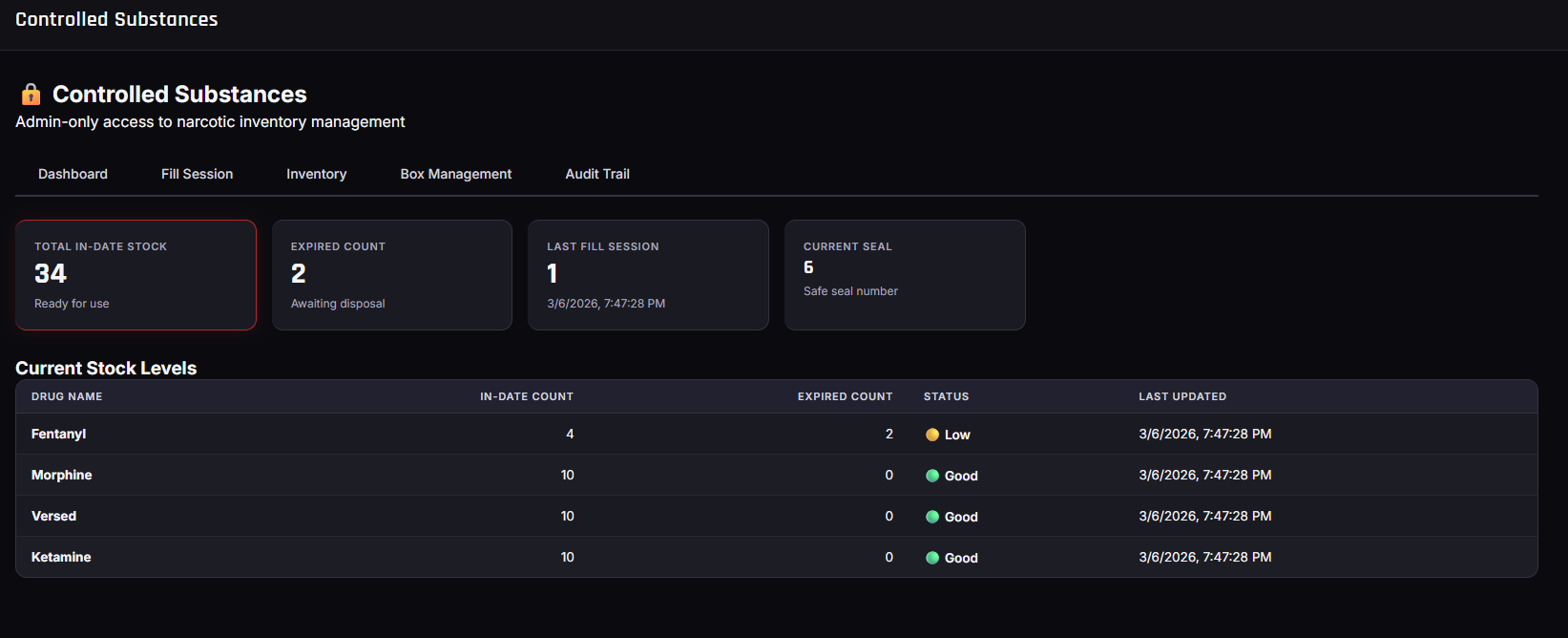
Tools designed to help agencies document controlled substance activity with dual-person verification and audit-friendly history on supported plans. Review transactions with timestamps and user context, and export documentation to support internal reviews.

Red Pulse supports your policies—it does not guarantee legal, DEA, HIPAA, or agency compliance. Agencies remain responsible for following their own required documentation, narcotic, and regulatory obligations.

Controlled substance accountability tools in Red Pulse Systems

Reporting and Forecasting

Answer hard questions about usage, waste, and what to order next.

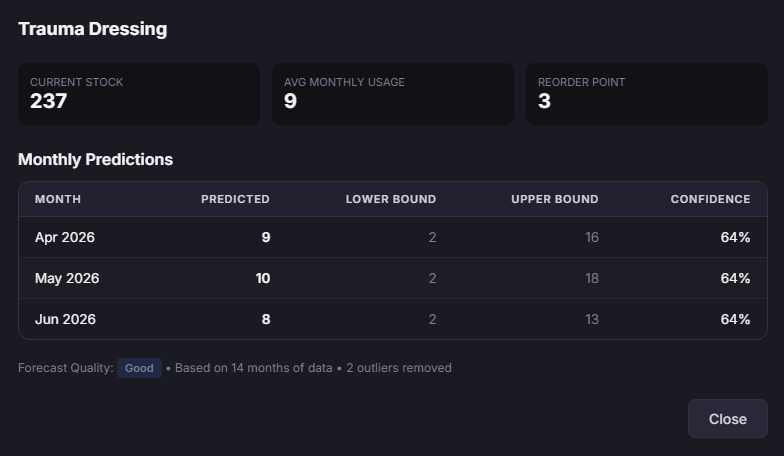
Usage forecasting and reporting views in Red Pulse Systems

Operational reporting

Usage, waste, and operational views help equipment directors see what is being consumed, where waste concentrates, and how inventory activity trends over time.

Usage forecasting

Forecasting and usage-based insights on supported plans inform smarter ordering—so agencies order from patterns, not guesswork, while still reviewing recommendations against local protocols and budget.

Enterprise and Permissions

Everyone sees what they need—nothing they do not.

Role-based access

  • Admin — Full system access including user management and settings
  • Equipment Director — Manage inventory, orders, approvals, and reports
  • Field / standard users — Submit Supply Requests and complete day-to-day inventory tasks appropriate to their role
  • Granular control — Align permissions to how your agency divides responsibility across stations and shifts

Multi-user collaboration

  • Live updates — Changes sync across users so counts and requests stay current
  • Activity visibility — See who made changes and when for operational follow-up
  • Agency-scale use — Support multiple stations, departments, and concurrent users without separate spreadsheets per truck
  • Audit-friendly history — Keep a usable trail of inventory activity for supervisors and leadership reviews
PulseDirect

PulseDirect — the Red Pulse kiosk

PulseDirect is the walk-up supply station for Red Pulse Systems. Crews complete supply transactions without a personal account. The device connects to your agency with an activation code and runs on the same inventory platform equipment directors already use.

  • Search and barcode scanning for fast line entry
  • Single-location or intelligent multi-location routing (server-assigned sources)
  • Staff login with existing Red Pulse authentication
  • Authorized staff can open pending requests and guided pull workflows

PulseDirect is a Red Pulse product surface—not a separate inventory system. Stock, requests, and history stay connected to your agency account.

Red Pulse Systems operational views used alongside PulseDirect workflows

See these features on your inventory

Request a personalized demo, or review plans that match the size of your agency.