Red Pulse Systems™ is EMS inventory management software built for pre-hospital operations. Track medical supplies, expirations, low stock, usage, and orders by ambulance, station, or storage location—without spreadsheets that fall behind real shifts.
Ambulance inventory software needs to match how crews actually work—not how a warehouse is stocked.
Spreadsheets and paper logs break down quickly when stock moves between trucks, stations, and supply rooms. Counts fall behind after busy shifts. Expired items sit unnoticed in a bag or cabinet. Low stock is discovered when someone reaches for a critical item and it is not there. Ordering decisions lean on guesswork instead of usage history.
The problem is not that agencies lack effort—it is that inventory for emergency services is distributed, time-sensitive, and constantly in motion. A file updated once a week cannot keep pace with patient care use, training consumption, transfers between units, and restocks that happen mid-shift.
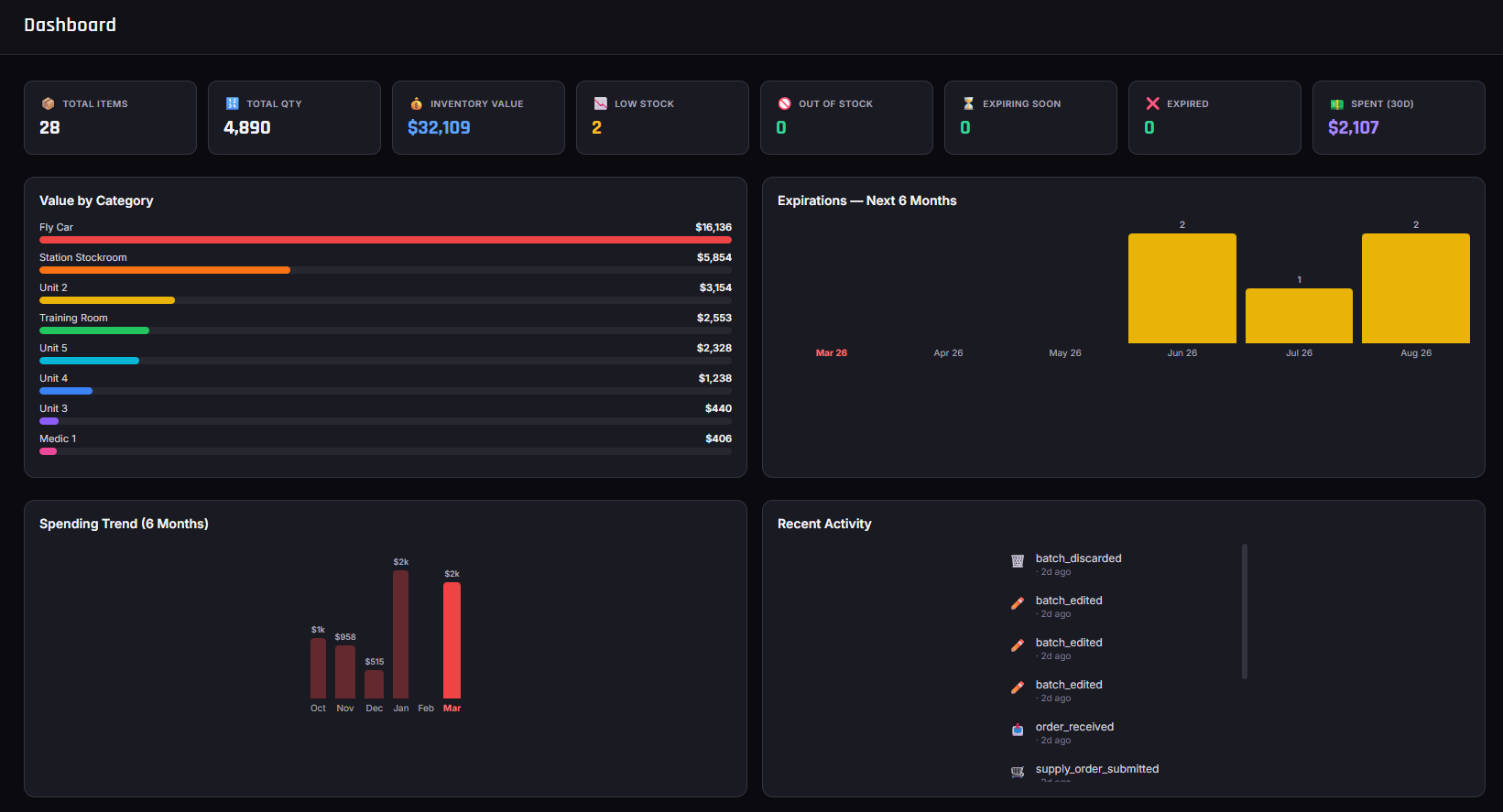
Red Pulse is EMS inventory management software designed for those pre-hospital workflows. Equipment directors, supervisors, and field staff see the same live picture of what is on hand, where it is, and what needs attention next—so knowledge does not live in one person’s head or an outdated workbook.
Fire department EMS inventory and ambulance supply tracking in one place—with location context on every change.
Track what is on each rig or jump bag so restocks and rig checks reflect real quantities—not estimates from last month. Unit-level visibility helps crews and supervisors confirm readiness before the next call.
Manage central supply rooms and station stock separately while keeping an agency-wide view of medical supply inventory for emergency services. Know what is available to restock trucks without guessing which shelf still has product.
Filter by location during counts, pulls, and reviews so adjustments apply to the correct storage site every time. Multi-location inventory is the foundation of usable EMS supply tracking—not an afterthought bolted onto a generic stock list.
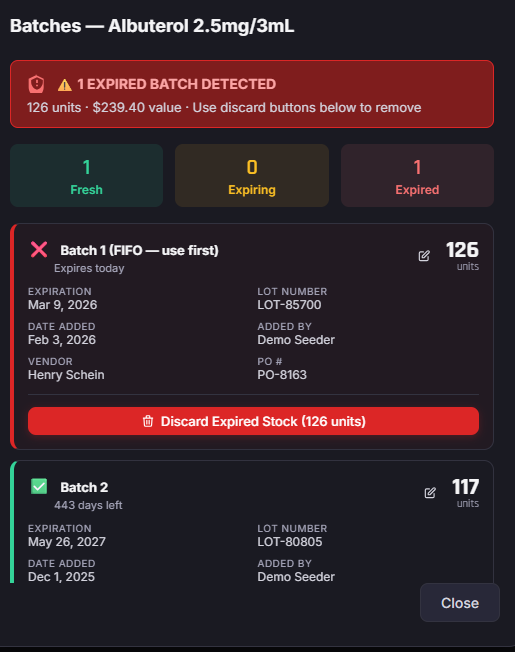
Expiration tracking for EMS supplies helps your team rotate stock, flag items nearing expiry, and reduce waste from outdated materials sitting on shelves or in rigs. Batch-level dates turn “we think that lot is still good” into a view you can act on.
Set thresholds, monitor low stock, and connect inventory levels to Supply Orders so your agency can reorder before a critical item runs out on a call. EMS inventory management is incomplete if shortages are only discovered during a bag check at the start of a shift.
Document what left inventory—and move restocks through Supply Requests instead of scrap paper.
Log removals with reasons such as patient care use, training, expiration, damage, or restock. Build a clear history of EMS supply tracking activity over time so supervisors can answer questions about stock changes without reconstructing them from memory.
Crews submit Supply Requests; directors review and approve. Pull sheets and guided pull workflows support restocking trucks and bags with records of who pulled what, when, and from which source—so operational reviews have something concrete to work from.
Usage history and restock workflows reinforce each other. When removals are documented and restocks run through the same system, equipment directors get a continuous picture of consumption—not a monthly reconciliation project that never quite matches the field.
Expand how your agency restocks and verifies stock—without replacing the core inventory fundamentals.
Automatic source assignment routes each restock line to the right location so pulls match how your station and supply rooms are organized.
Scan to find and process items quickly during counts, pulls, receiving, and restocks—reducing typing errors when crews are moving fast.
Print item QR labels so physical stock matches what Red Pulse tracks, helping float crews and new staff locate product correctly.
Group common restock sets so crews request jump bag standards or ambulance minimums without rebuilding lists from scratch.
Structured checks help catch missing or short items before the next call, creating a repeatable process for verifying critical stock.
PulseDirect is the Red Pulse walk-up supply station. Crews complete supply transactions without a personal account, connected to your agency inventory with an activation code.
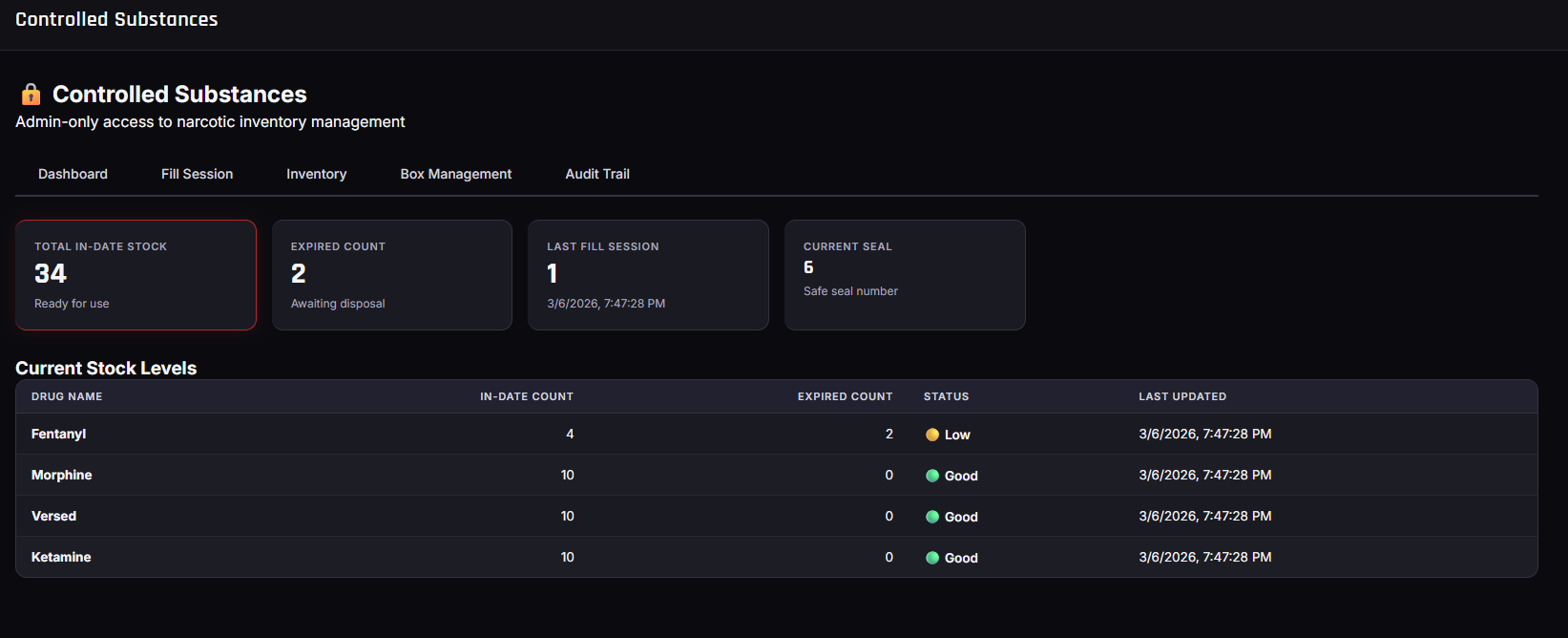
Red Pulse includes tools designed to help agencies document controlled substance activity, including dual-person verification workflows and transaction history on supported plans. The software supports agency inventory and compliance workflows—it does not replace your agency’s policies, medical director oversight, or regulatory obligations.
Agencies should continue following their own required documentation, narcotic, and compliance policies. Red Pulse does not guarantee legal, DEA, HIPAA, or agency compliance.
EMS inventory management for the agencies that keep communities ready—volunteer, municipal, career, fire-based, and private.
Agencies that need practical ambulance inventory software without enterprise complexity or warehouse-system overhead—clear stock visibility that fits real staffing and budget realities.
Departments managing fire department EMS inventory across stations, apparatus, and central supply, with multi-location tracking that mirrors how fire-based EMS actually stocks and restocks.
Career EMS and private ambulance operations that need consistent inventory processes across shifts, units, and facilities—with roles that separate field work from director-level purchasing and oversight.
Leaders who need accurate stock visibility, ordering insight, expiration awareness, and documentation that supports day-to-day operations and leadership questions.
Organizations coordinating inventory across multiple stations or departments that cannot afford separate spreadsheets—or conflicting “sources of truth”—for every site.
Crews who need straightforward Supply Requests, scanning, and pull workflows so restocking does not become an unpaid second job after every busy call volume day.
Request a personalized demo, explore the full feature set, or review pricing for Essential, Professional, and Enterprise plans.